The Status Light
The Client Scenario (Hypothetical)
Client: Company X, a mid-sized company operating a majority remote workforce.
The Initial Challenge: X approached Design Seedling with a vague but urgent problem: internal employee feedback indicated that remote team members were feeling burned out, context-switched, and unproductive, but leadership couldn't pinpoint the actual root cause. They asked Design Seedling to step in, run an initial audit, figure out what was breaking down in their remote culture, and design a custom solution.
Proposed Project Blueprint
Phase 1: DS Discovery & Survey (Theoretical Research)
Phase 2: DS Strategy & Proposal (Theoretical Concept)
Phase 3: Active UI Design (Sprout Student Execution)
Phase 4: Proposed Validation (Theoretical Testing)
Phase 1: Discovery & The Remote Friction Survey
If executed as a real client engagement, Design Seedling’s team would lead the initial discovery using the following strategy:
Custom Survey: Design Seedling builds a targeted 15-question Remote Work Friction Audit Survey designed to measure daily interruptions, focus duration, and communication gaps.
Client Workforce Deployment: Design Seedling hands the survey kit over to Company X’s HR to distribute to all 350+ remote and hybrid employees.
Data Synthesis: Design Seedling analyzes the quantitative and qualitative survey results to uncover the underlying issues.
Theoretical Survey Findings & Insights
The survey data would reveal an unexpected core issue: Digital statuses don't cross into physical spaces. While employees set their Slack to "Away" or ha” or had busy calendars, 82% reported frequent physical interruptions at home (family, roommates, deliveries) or in hot-desking offices (co-workers walking up during focus time) because nearby people had no visual indication that they were on a call or busy.
Phase 2: Concept Pitch & Strategy
Based on our survey synthesis, Design Seedling proposed moving away from software-only status tools (which housemates and passing co-workers can't see) and presented a hybrid hardware-software system:
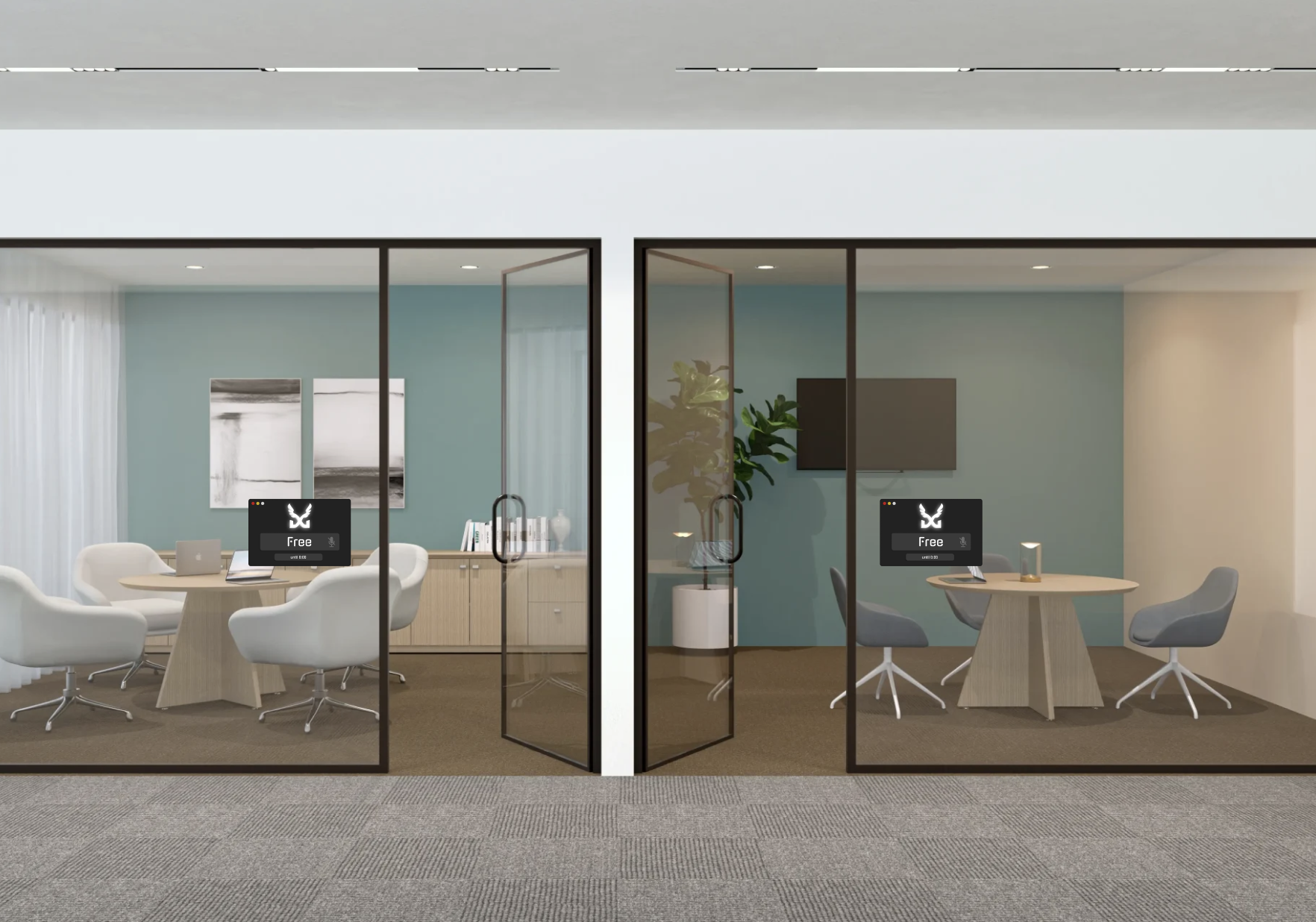
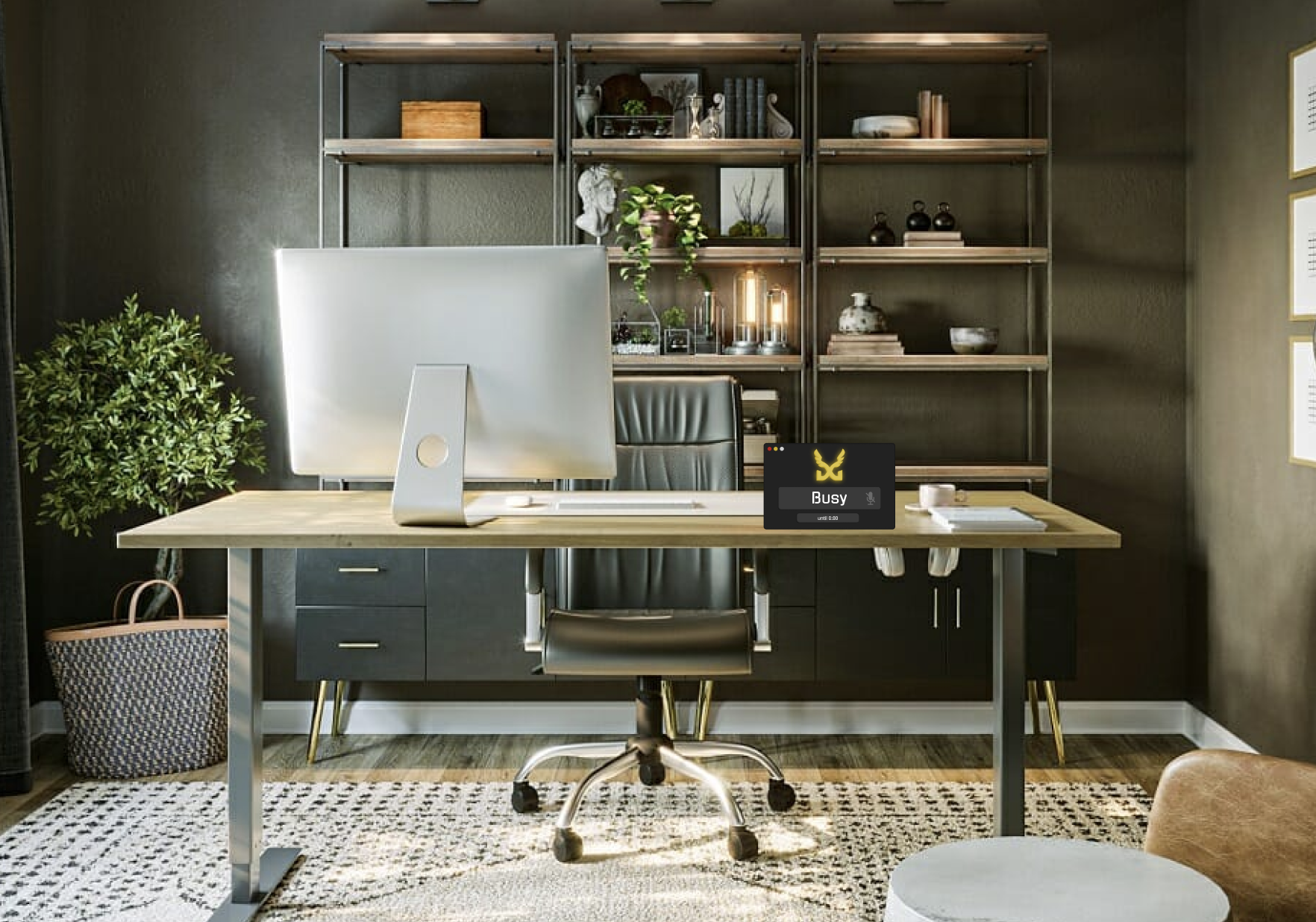
Physical Status Indicator: A sleek, low-power hardware screen mounted on a home office doorway, wall, or tabletop.
Automated Companion Utility: A background app that automatically syncs Google Calendar, Outlook, and Slack statuses to the physical light display so workers don’t have to manually change it.
Phase 3: Hardware UI & Software Design Execution
This phase represents the core design deliverables actively created by the Design Seedling Sprout team:
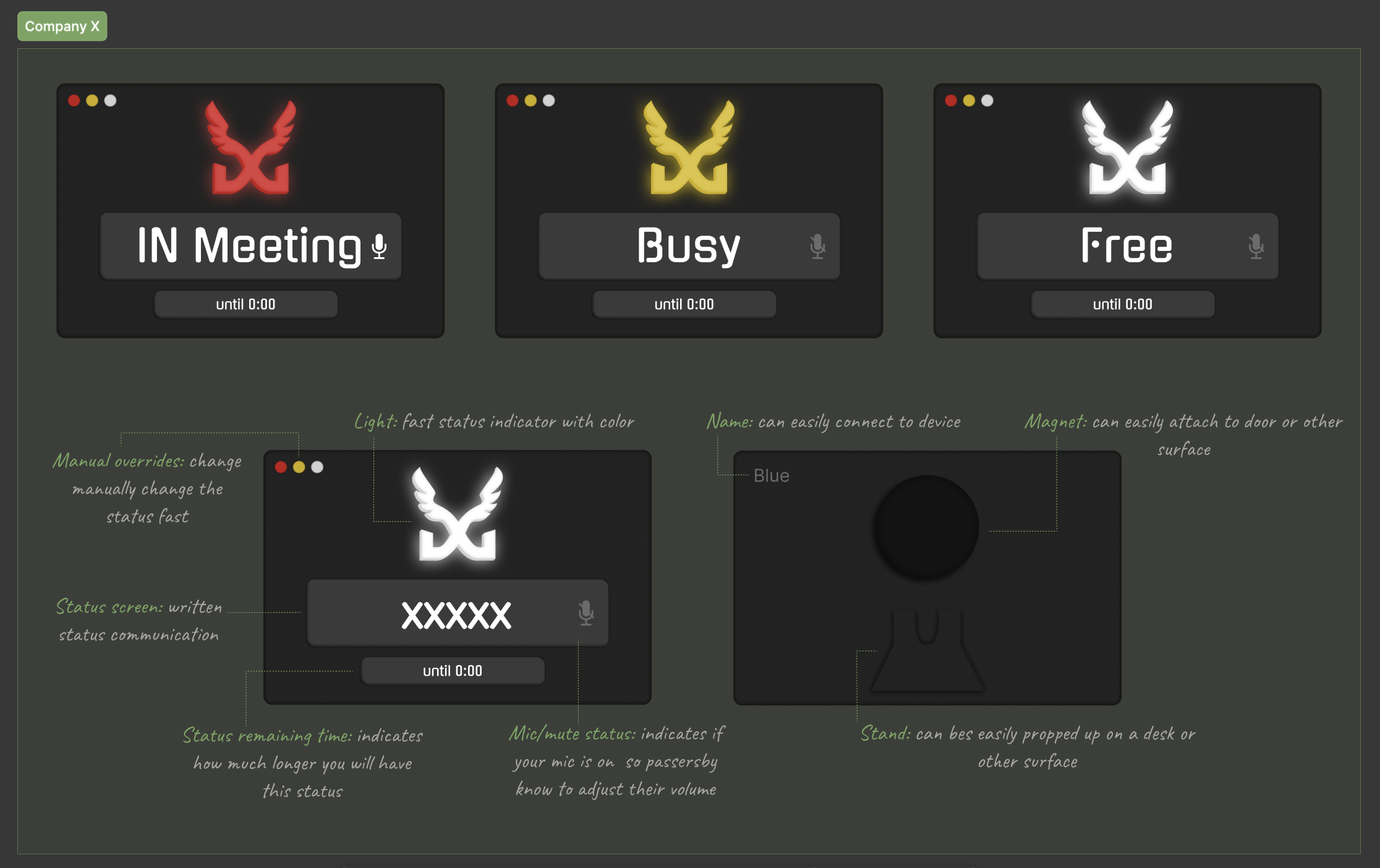
Embedded Hardware Screen Interface
UI: High-contrast, typography-first layout readable from 10+ feet away down a hallway or across a room.
Dynamic Status States:
🔴 In Meeting: Displays remaining call time, mic/mute status, and a clear "In Meeting" visual alert.
🟡 Busy: Displays remaining time, mic/mute status, and a clear "Busy" visual alert.
⚪ Free: Displays remaining free time, mic/mute status, and a clear "Free" visual alert.
Physical Touch Controls: Tap-friendly interface for instant manual overrides.
Display options: Magnet on the back of the screen to attach to a door or wall and a stand built into the back to prop up on the tabletop.
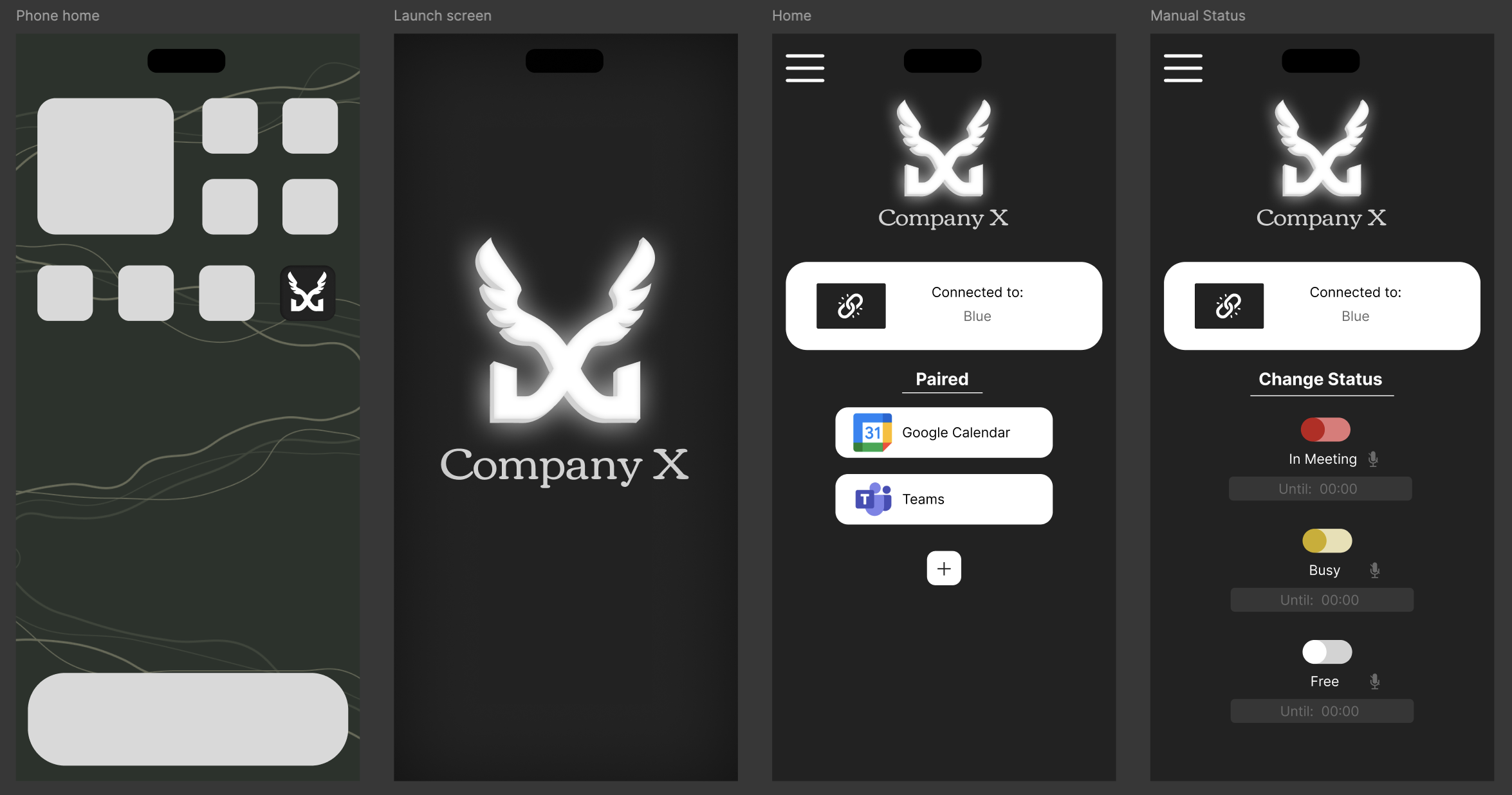
Companion Mobile & Desktop App
Ecosystem Sync Setup: Clean onboarding flow to link Google Calendar, Microsoft Teams, and Slack.
Hardware Pairing: Frictionless Bluetooth/Wi-Fi pairing flow designed for fast user setup.
Phase 4: Proposed Validation & Testing Roadmap (Theoretical)
In a complete product development engagement, Design Seedling would evaluate the prototype using the following testing plan:
Ergonomic & Environmental Audit: Testing hardware screen readability under direct sunlight, low hallway lighting, and side angles.
2-Week Pilot Deployment: Distributing 10 functional units to Company X employees who reported the highest interruption rates in the initial survey.
Post-Pilot Impact Survey: Re-surveying the test group to measure the quantitative drop in physical interruptions and context-switching stress.